
Use case
Help customers find their own answers.
Give each customer a workspace for their reports, dashboards, and data questions. Set the access rules so they can explore the information relevant to them.
How it helps
Customer workspaces bring approved dashboards, reports, and AI analysis together. Authorized users can explore data, customize views, and receive scheduled reports.
Who this is for
- Customer success leaders
- Customer portal owners
- Partner program teams
- Enterprise data sharing teams
Why it matters
Why does customer-facing analytics matter?
01
Recurring report demand
Customers need answers more often than a monthly report can provide.
- ✓Live answers between the monthly reports
- ✓Self-service reduces the request queue
- ✓Portal access controlled through SSO
What changed.
What to do next.
+$73K Gross profit changeCheck the volume increase by customer and product.
Investigate returns before scaling the same approach.
02
Self-service without raw access
Approved datasets, never raw database connections.
- ✓Approved datasets, not database logins
- ✓Dashboards, reports, and pivots per permission
- ✓Row and field visibility enforced on every query
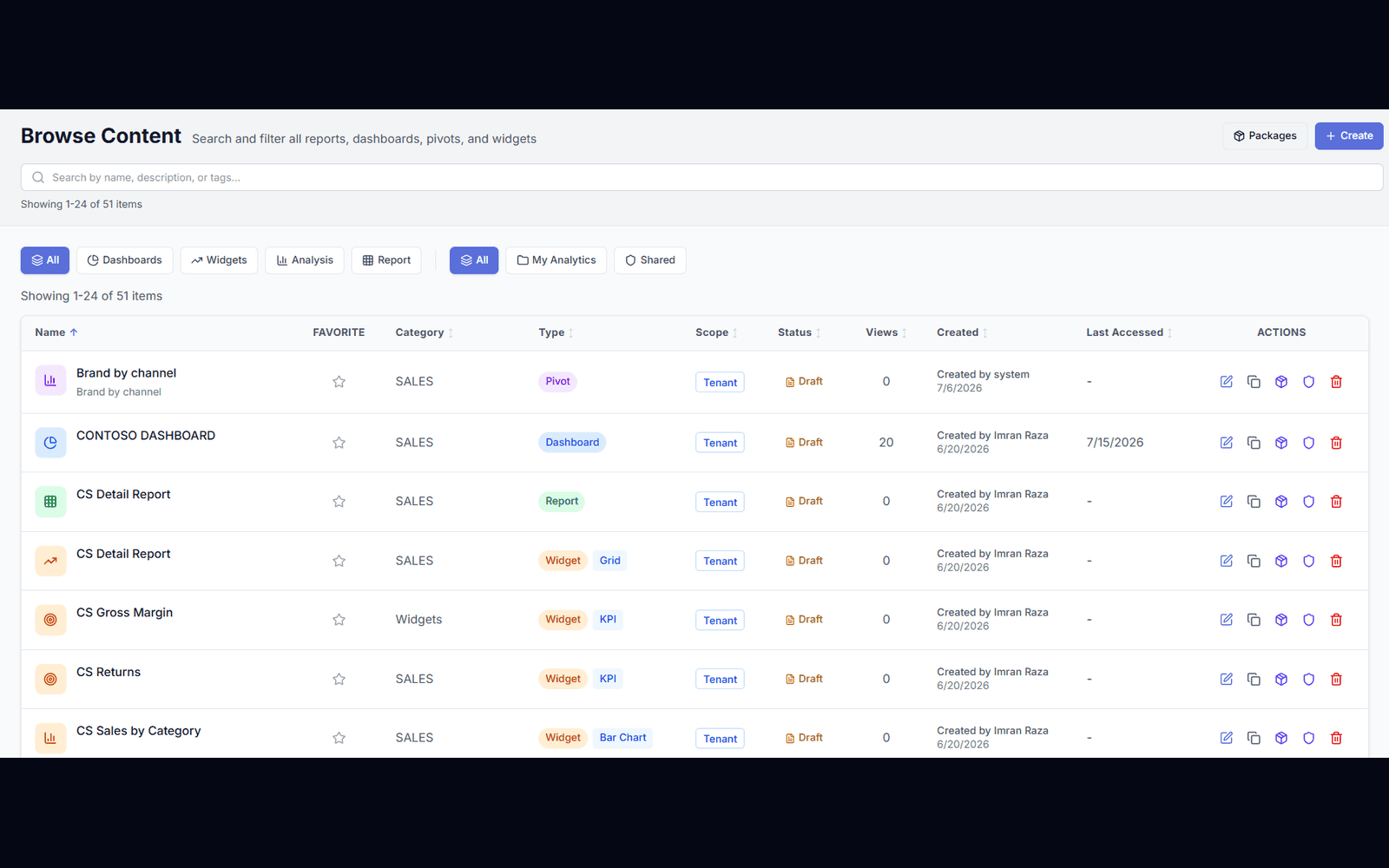
03
Customer-specific controls
Data is scoped by customer, role, region, account, location, or user before a single row is rendered.
- ✓Scope by customer, role, region, account, or user
- ✓Filters applied before rendering, not after
- ✓Same rules govern exports and AI answers
| Content | Scope | Action |
|---|---|---|
| Sales dashboard | West | View |
| Revenue report | West | Export |
| Customer contacts | Restricted | Blocked |
04
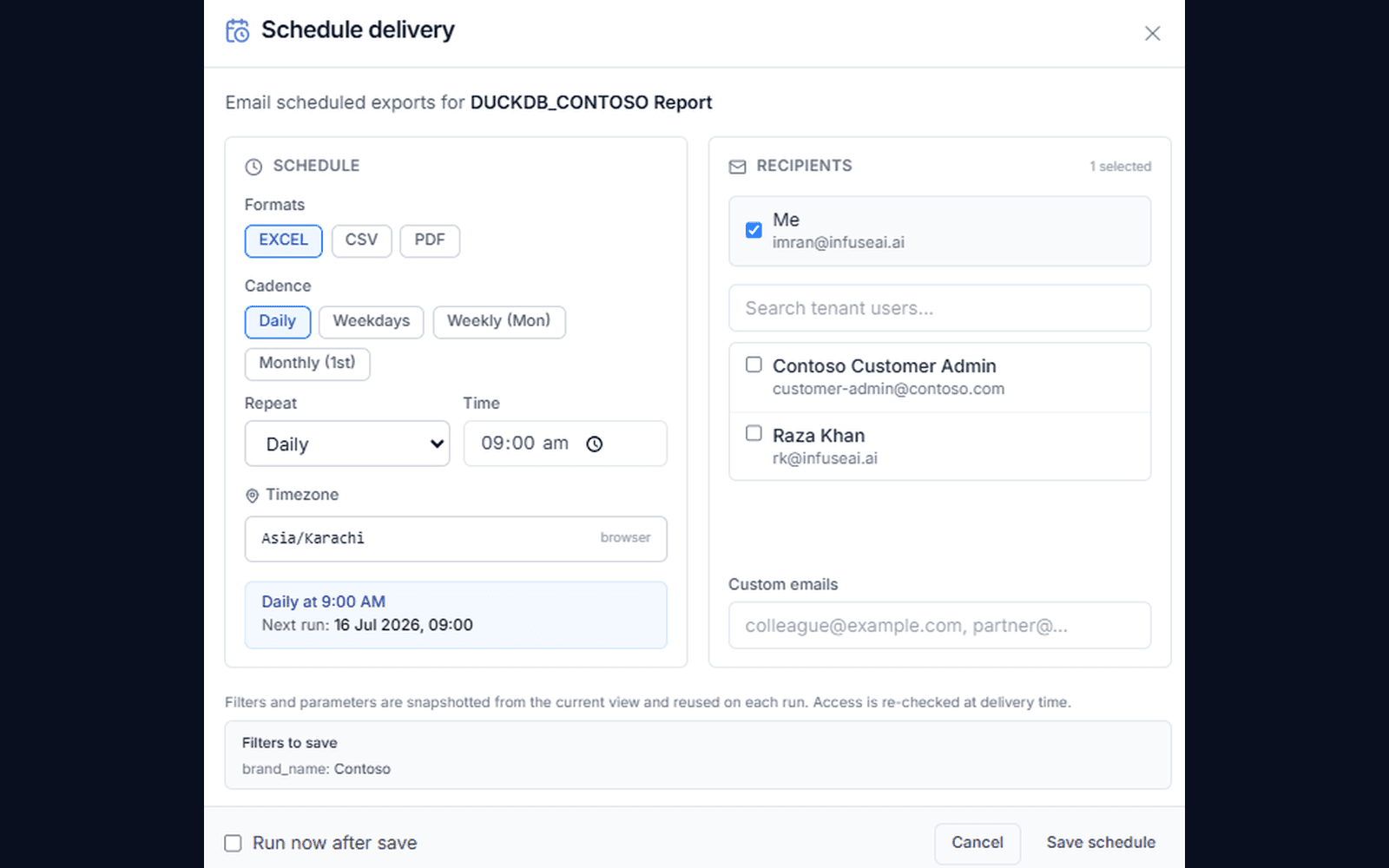
Scheduled reporting
Deliver Excel and PDF outputs on a schedule — no more manual spreadsheet work for your team.
- ✓Excel and PDF delivery on a schedule
- ✓Recipients controlled by permission
- ✓No manual spreadsheet work for your team
How it works
How does customer-facing analytics work?
Map customer identity through SSO, and every dashboard, export, and AI answer is filtered to their rows only.
- 1
Prepare a report
Choose the data and metrics to include.
- 2
Choose the audience
Select the customers, partners, or teams.
- 3
Set their access
Configure records, fields, and export permissions.
- 4
Keep it available
Offer a portal or schedule approved reports.
Each audience receives the view allowed by your configured access rules.
Ready when you are
Bring your toughest question.
See how your AI data team turns it into findings, dashboards, and data your team can use.
FAQ
Frequently asked questions
What is customer-facing analytics?+
Customer-facing analytics gives external customers secure access to dashboards, reports, pivots, and exports based on their permissions. It replaces recurring spreadsheet requests with a governed self-service portal.
Can customers build their own dashboards?+
Yes. Customers can be given controlled self-service dashboard, report, and pivot creation permissions — always scoped to their approved datasets and rows.
Could one customer ever see another customer's data?+
No. Customer identity is resolved through SSO into a row-level filter applied at query time, so results are scoped before they are rendered rather than hidden in the interface. The same scope governs exports and AI answers.