
For SaaS companies
Give your customers answers inside your app.
Let customers explore dashboards, customize reports, and ask your AI data team. Your team controls the data and permissions while customers get more ways to answer their own questions.
How it helps
Use InfuseBI to add customer analytics to your SaaS application. Publish shared reports, let authorized users customize their views, and connect their login to the correct customer data.
Who this is for
- SaaS founders and CTOs
- Product leaders
- Engineering leaders
- Customer success leaders
The problem
Your customers want reporting. Your engineers want their roadmap back.
Different dashboards
Every customer asks for a slightly different dashboard, report, or pivot.
Engineering support load
Teams are pulled away from product work to build one-off reports.
Disconnected embeds
Generic BI iframes often feel separate from the SaaS product experience.
Per-customer security risk
Per-customer row-level security is hard to build and maintain correctly.
The answer
What does InfuseBI give SaaS teams?
01
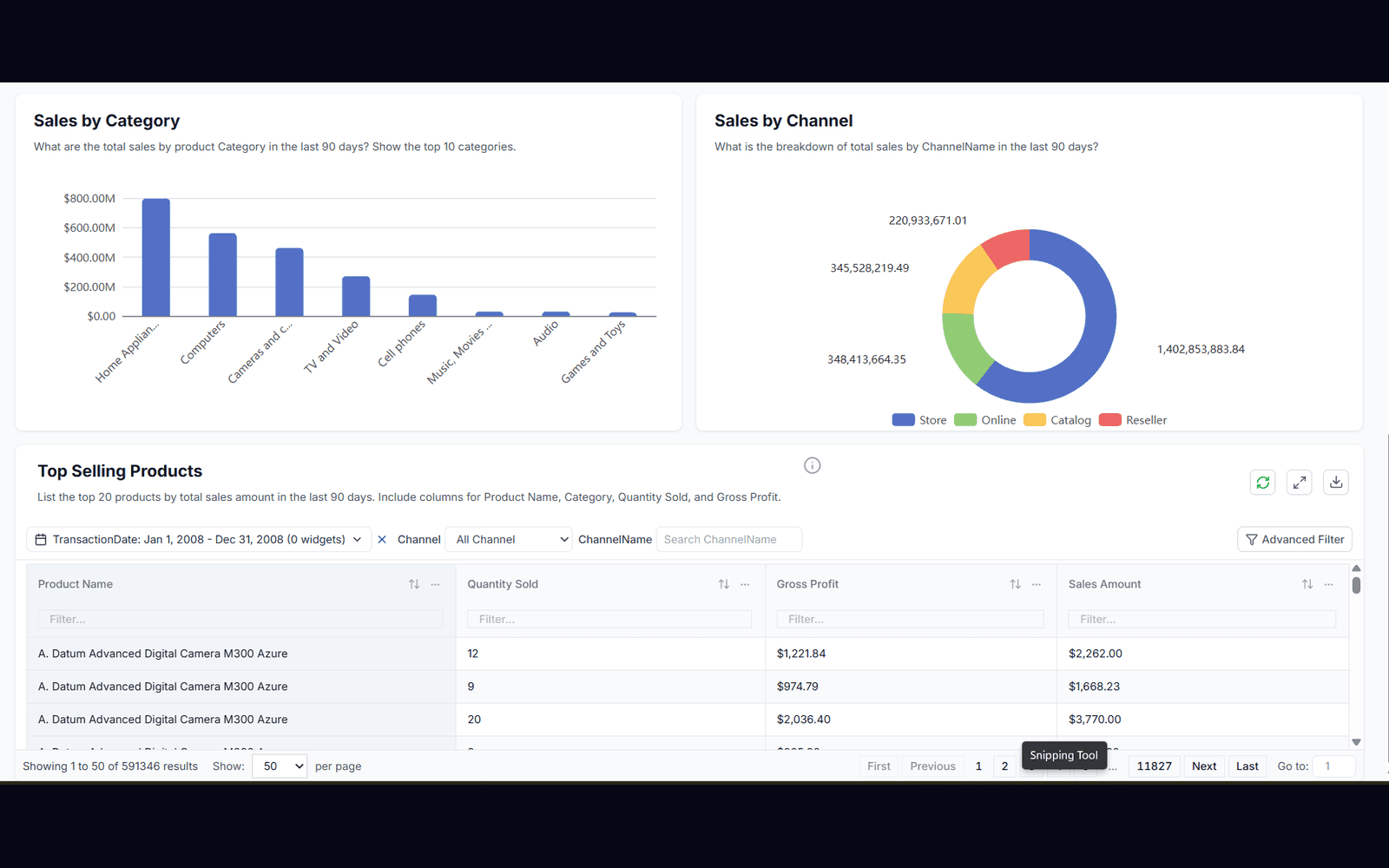
Embedded self-service dashboards
Self-service analytics inside your app — your customers never leave your product.
- ✓Dashboards, reports, pivots, and chart components
- ✓White-label and theme-synced to your product
- ✓Customers build their own views, safely
02
Embedded AI assistant
Charts from plain language, on approved data only, every prompt audited.
- ✓Plain-language chart creation for your customers
- ✓Approved datasets and fields only
- ✓Prompts and outputs audited per customer
03
SSO that maps to your customers
Your product identity secures analytics — no separate logins, no security layer to build.
- ✓Your login and customer accounts drive access
- ✓Row-level security derived from your customer mapping
- ✓No separate analytics accounts to manage
| Content | Scope | Action |
|---|---|---|
| Sales dashboard | West | View |
| Revenue report | West | Export |
| Customer contacts | Restricted | Blocked |
04
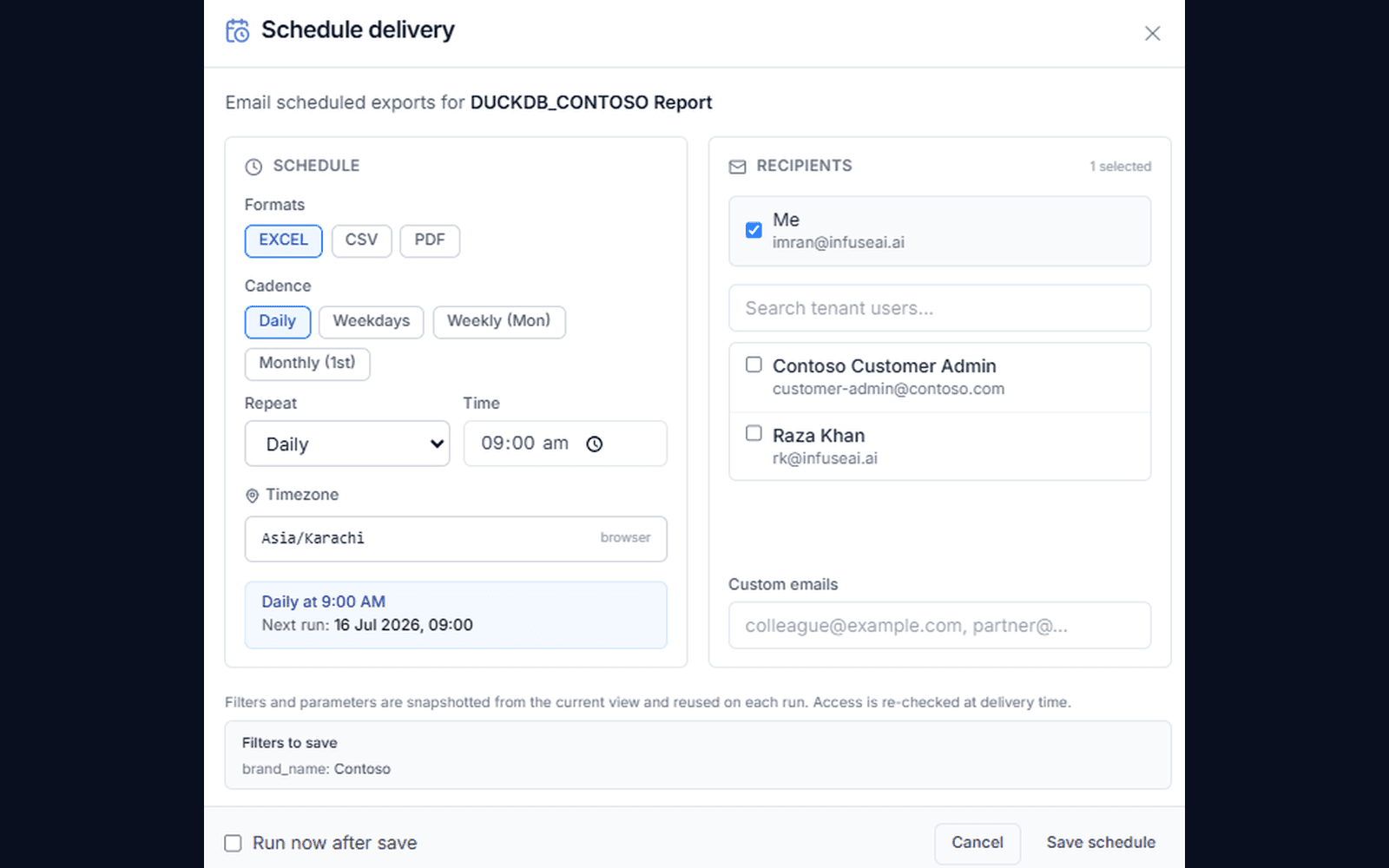
Exports and scheduled reports
Exports and recurring delivery by permission, so customers automate their own reporting.
- ✓Customer-controlled Excel/PDF exports
- ✓Recurring delivery within policy
- ✓Fewer reporting tickets for your team
How it works
How do SaaS teams launch self-service analytics for customers?
Your existing login drives everything. A short-lived embed token keeps every customer — and every AI answer — inside its own data boundary.
- 1
Sign in to your app
Users keep their existing login.
- 2
Confirm access
Your backend passes the user's authorized context.
- 3
Open analytics
Reports and dashboards appear inside your app.
- 4
Explore the data
Permissions control the available views and actions.
Your integration configures the connection, identity mapping, and access rules.
AI agents
Let customers bring your data to their AI assistant.
Your customers already work in Claude and ChatGPT. InfuseBI's built-in MCP server lets each customer connect their assistant to their own data in your product: read-only, governed, and with no MCP infrastructure for you to build.
- ✓Each customer reaches only its own data
- ✓You decide which datasets customers can open to AI
- ✓Sign-in, consent, and rate limits are built in
| Content | Scope | Action |
|---|---|---|
| Sales dashboard | West | View |
| Revenue report | West | Export |
| Customer contacts | Restricted | Blocked |
Ready when you are
Bring your toughest question.
See how your AI data team turns it into findings, dashboards, and data your team can use.
FAQ
Frequently asked questions
Can our customers use our data in Claude or ChatGPT?+
Yes. InfuseBI includes a governed MCP server. Each customer workspace can connect supported assistants to its own approved data, read-only and filtered by row-level security, within limits you set as the provider.
Why do SaaS companies use InfuseBI?+
SaaS companies use InfuseBI to give their customers self-service analytics without building dashboards, reports, pivots, exports, and governed AI workflows from scratch. It replaces quarters of BI engineering with a governed embedded layer.
Can InfuseBI match our product experience?+
Yes. InfuseBI is designed for white-label and embedded analytics experiences that fit SaaS product workflows, so analytics feels like part of your product rather than a bolted-on portal.
How do we guarantee one tenant never sees another tenant's data?+
Tenant identity arrives in the embed token from your own login and is resolved into a row-level filter applied at query time, before results are returned. The boundary holds across dashboards, reports, pivots, exports, and AI answers alike.