
Secure dataset sharing
Share useful data with the right people.
Give customers, partners, and teams a place to explore approved reports and ask questions. Control the records, fields, and downloads available to each audience.
Sales − returns − discountsOwner: Finance · Currency: USDHow it helps
Share selected datasets through dashboards, reports, and customer workspaces. Configure who can view each dataset, which records they can access, and whether they can export or use it with AI.
Who this is for
- Customer portal owners
- Partner program teams
- Enterprise data sharing teams
- SaaS tenant administrators
Use cases
What can you do with secure dataset sharing?
Customer reporting portals
Replace recurring report requests with secure self-service access.
Partner performance dashboards
Share partner metrics and limit each partner to the records they may view.
Vendor scorecards
Give vendors controlled analytics for operational performance.
Franchise or location reporting
Scope data by location, region, account, or user.
Tenant analytics
Publish approved reports and dashboards for your customers.
Internal department reporting
Help teams use the same definitions for their business metrics.
Controls
Control who sees what, where, and how.
01
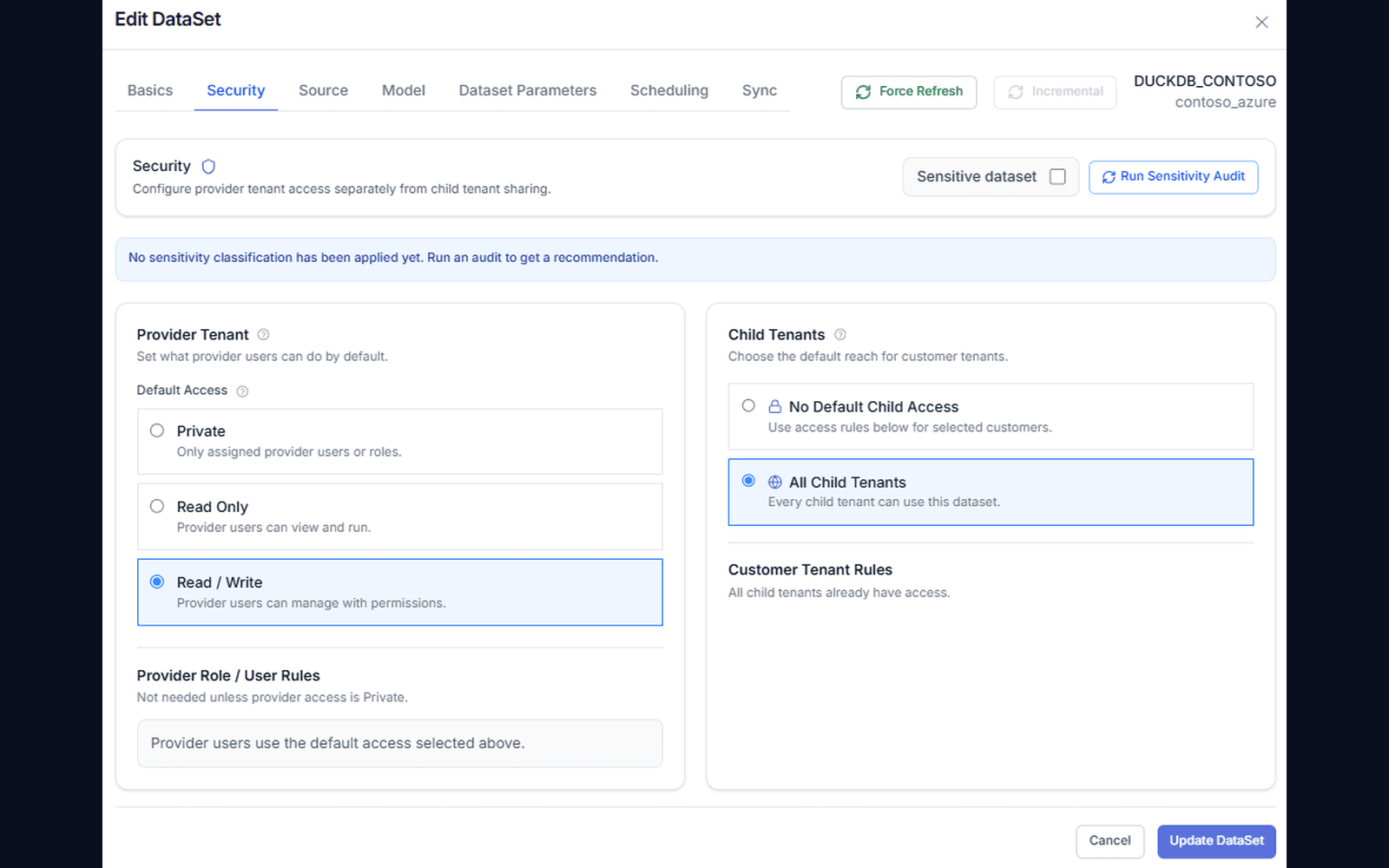
Dataset and field controls
Publish approved datasets and hide sensitive fields when needed — external users never touch raw tables.
- ✓Publish approved datasets, not database credentials
- ✓Hide sensitive columns per audience
- ✓Semantic models with labels, formats, and descriptions
02
Audience mapping
One governed dataset fans out to every audience, each with its own scope.
- ✓Tenants, customers, partners, regions, and roles
- ✓Provider-to-child tenant inheritance
- ✓One dataset, many scoped experiences
Sales − returns − discountsOwner: Finance · Currency: USD03
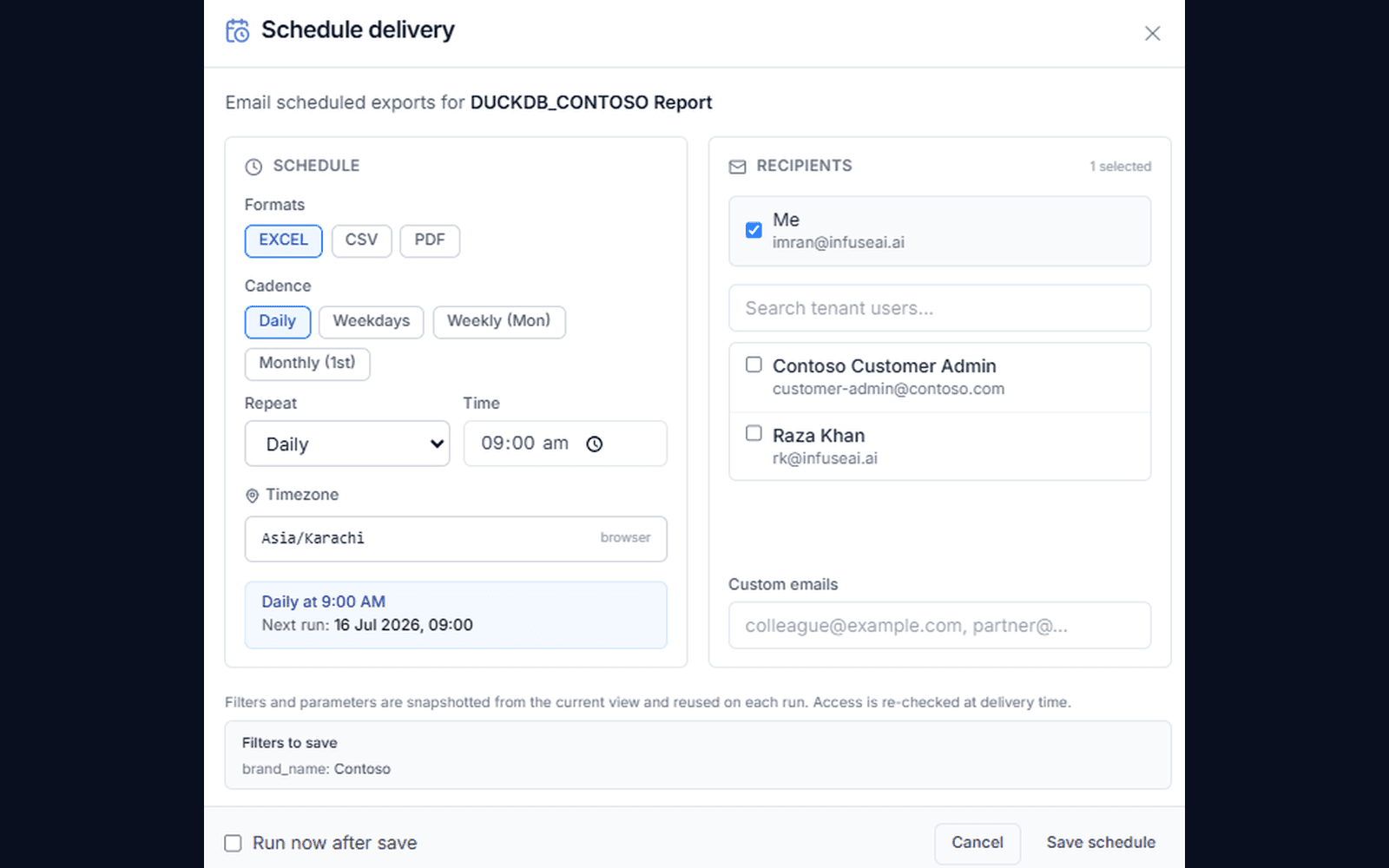
Export and schedule permissions
Choose who can export Excel/PDF files or set recurring deliveries, per role, tenant, and report.
- ✓Excel/PDF export by role and dataset policy
- ✓Recurring delivery to approved recipients
- ✓Every export tracked in audit logs
04
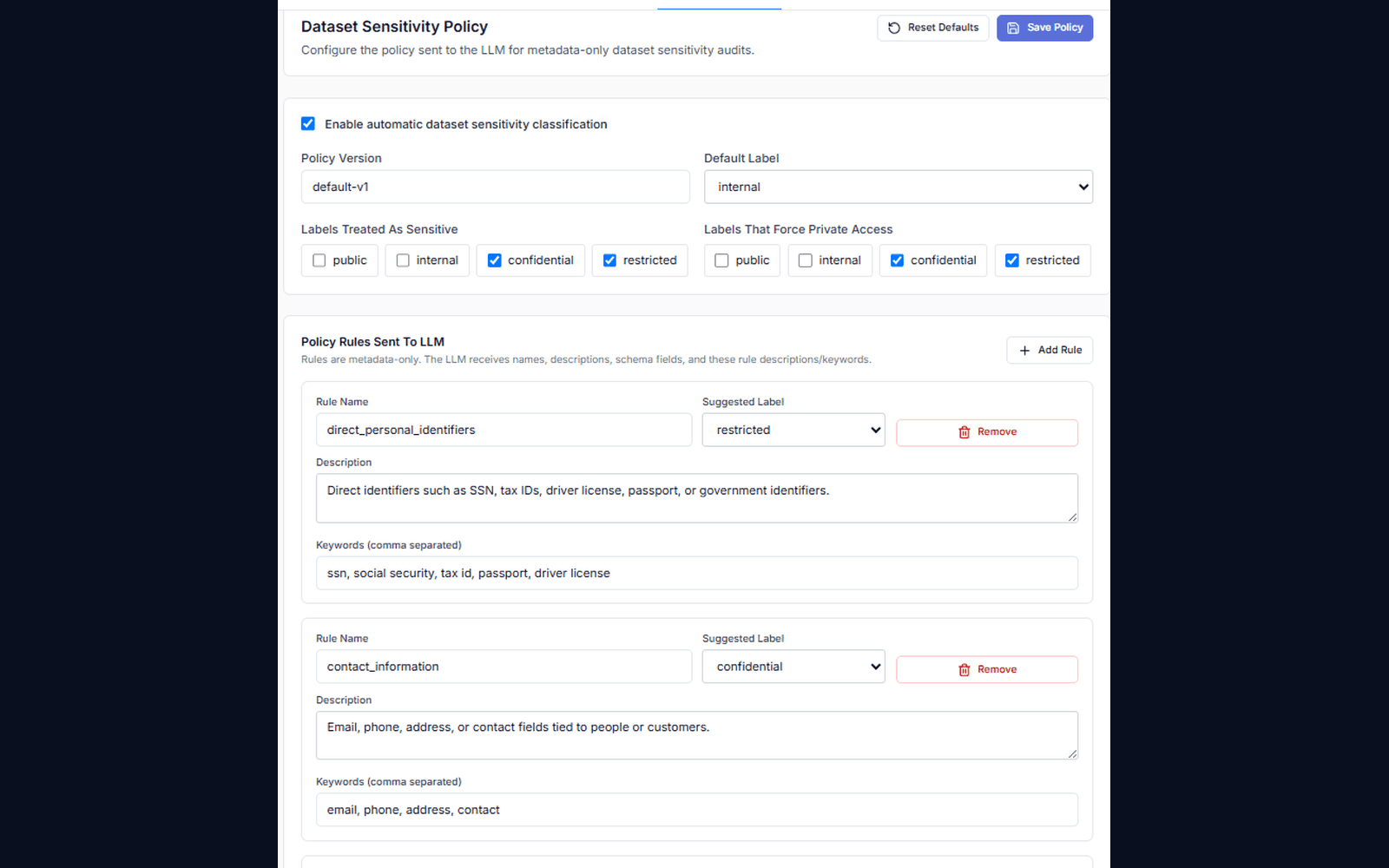
Data available to AI
Sensitive data stays out of prompt context entirely.
- ✓Dataset allowlists for AI features
- ✓Field exclusions from prompt context
- ✓AI answers filtered by row-level security
How it works
How does secure dataset sharing work?
Publish once, map each audience to its own row-level scope, and everything downstream is filtered to what they may see.
- 1
Prepare a report
Choose the data and metrics to include.
- 2
Choose the audience
Select the customers, partners, or teams.
- 3
Set their access
Configure records, fields, and export permissions.
- 4
Keep it available
Offer a portal or schedule approved reports.
Each audience receives the view allowed by your configured access rules.
Before and after
Give your audience a place to find their reports.
Ready when you are
Bring your toughest question.
See how your AI data team turns it into findings, dashboards, and data your team can use.
FAQ
Frequently asked questions
What is secure dataset sharing?+
Secure dataset sharing means publishing approved datasets to customers, partners, tenants, and internal teams while controlling fields, rows, roles, exports, and AI usage. Each audience gets a governed analytics experience instead of raw data extracts.
Does InfuseBI expose raw databases?+
No. InfuseBI provides governed analytics experiences from approved datasets rather than handing external users raw database access. Row and field visibility is enforced on every query.
Can one dataset show different fields to different audiences?+
Yes. Field visibility is set per audience, so a partner can be shown volumes while cost and margin columns stay hidden — from the same governed dataset. The same rules apply to exports and to anything the AI can read.