
Packages and deployment
Move your reports without rebuilding them.
Package selected dashboards, reports, and dataset definitions into one file. Import them into another environment, then connect and validate the required data.
- 01Executive dashboardLayout + widgets
- 02Monthly reviewReport definition
- 03Sales by regionDataset definition
Map connections and validate readiness after import.
How it helps
InfuseBI content packages carry analytics definitions and their required dependencies between environments. Review what is included, map destination connections, and check readiness after import.
Who this is for
- Analytics platform owners
- BI admins promoting content
- SaaS teams shipping tenant analytics
- Dev/test/prod operators
At a glance
Keep related reports and definitions together.
Choose what to move, keep dependencies selected automatically, and import the package elsewhere.
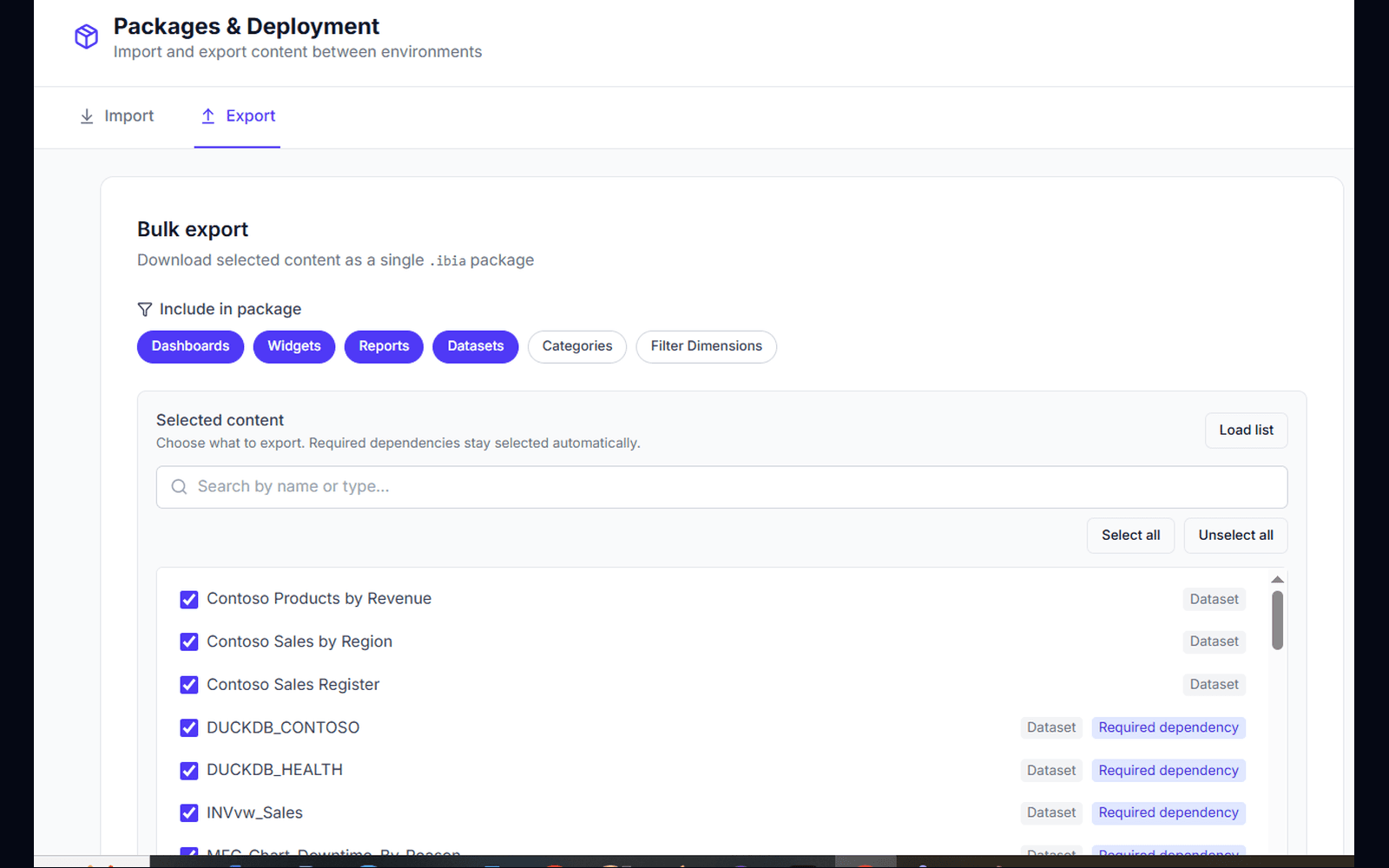
- ✓Export dashboards, widgets, reports, and datasets as .ibia
- ✓Type filters and search for fast selection
- ✓Required dependencies stay selected automatically
- ✓Import into another environment with conflict-aware review
How it works
Export, transfer, import.
Select content
Filter by type, search by name, and pick what belongs in the package.
Keep dependencies
Datasets and related objects required by your selection stay included.
Deploy with .ibia
Download the package and import it where you need the same analytics.
Why it matters
Stop rebuilding the same analytics in every environment.
Move between environments
Move curated content from build to staging to production without manual recreation.
Include required definitions
Avoid broken dashboards — required datasets and related objects travel with the selection.
Reuse content across workspaces
Share a governed analytics module as one portable file instead of screenshots and spreadsheets.
Ready when you are
Bring your toughest question.
See how your AI data team turns it into findings, dashboards, and data your team can use.
FAQ
Frequently asked questions
What is an .ibia package?+
An .ibia package is InfuseBI’s portable content archive for analytics objects such as dashboards, widgets, reports, and datasets. Teams use it to export and import content between environments.
Does export include dependencies?+
Yes. When you select content to export, required dependencies stay selected automatically so the package remains usable after import.
Can I choose which objects to include?+
Yes. Packages & Deployment supports type filters, search, and a selected-content checklist so you export only what you need.